Bills: enter, match, approve and post what you owe
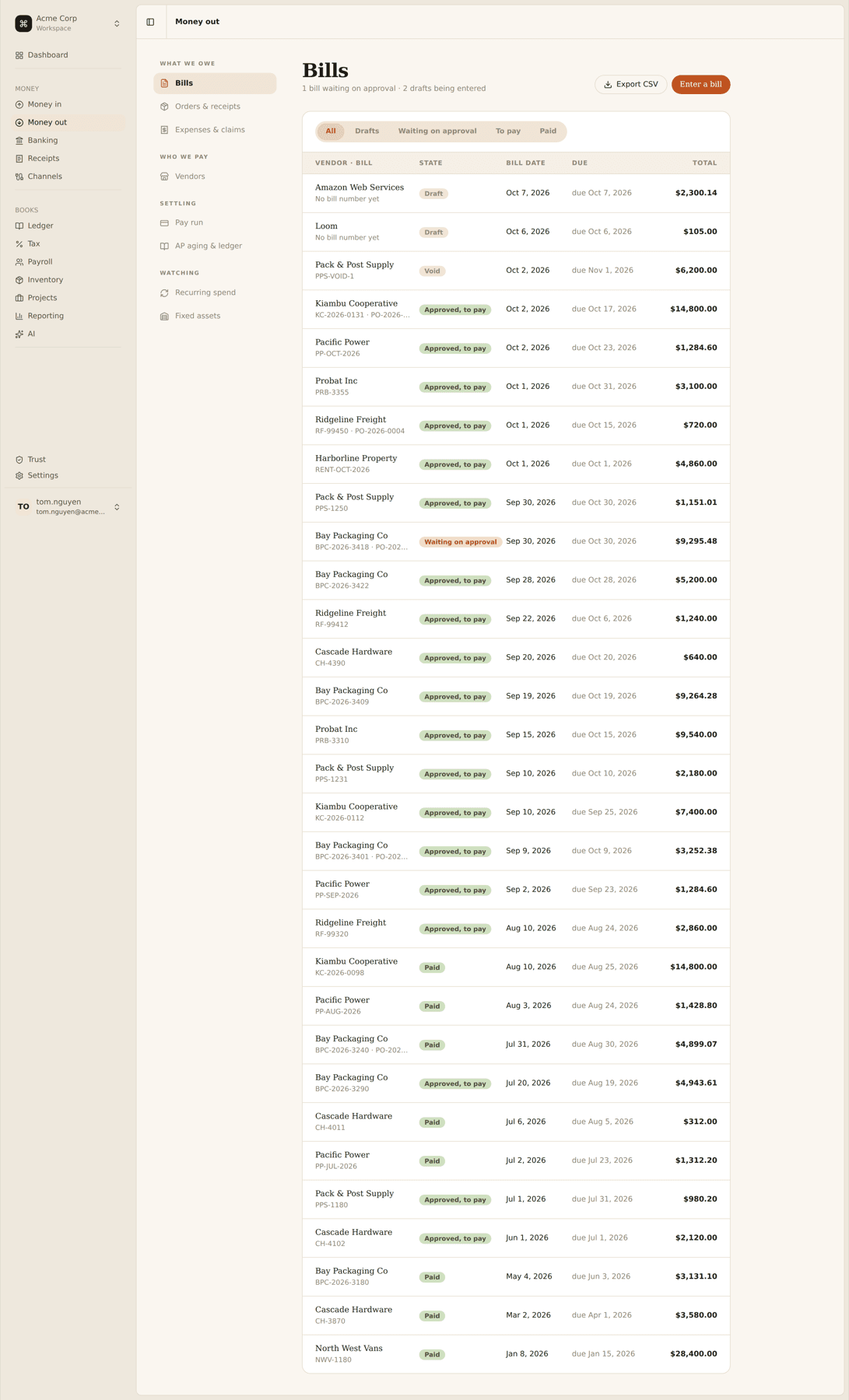
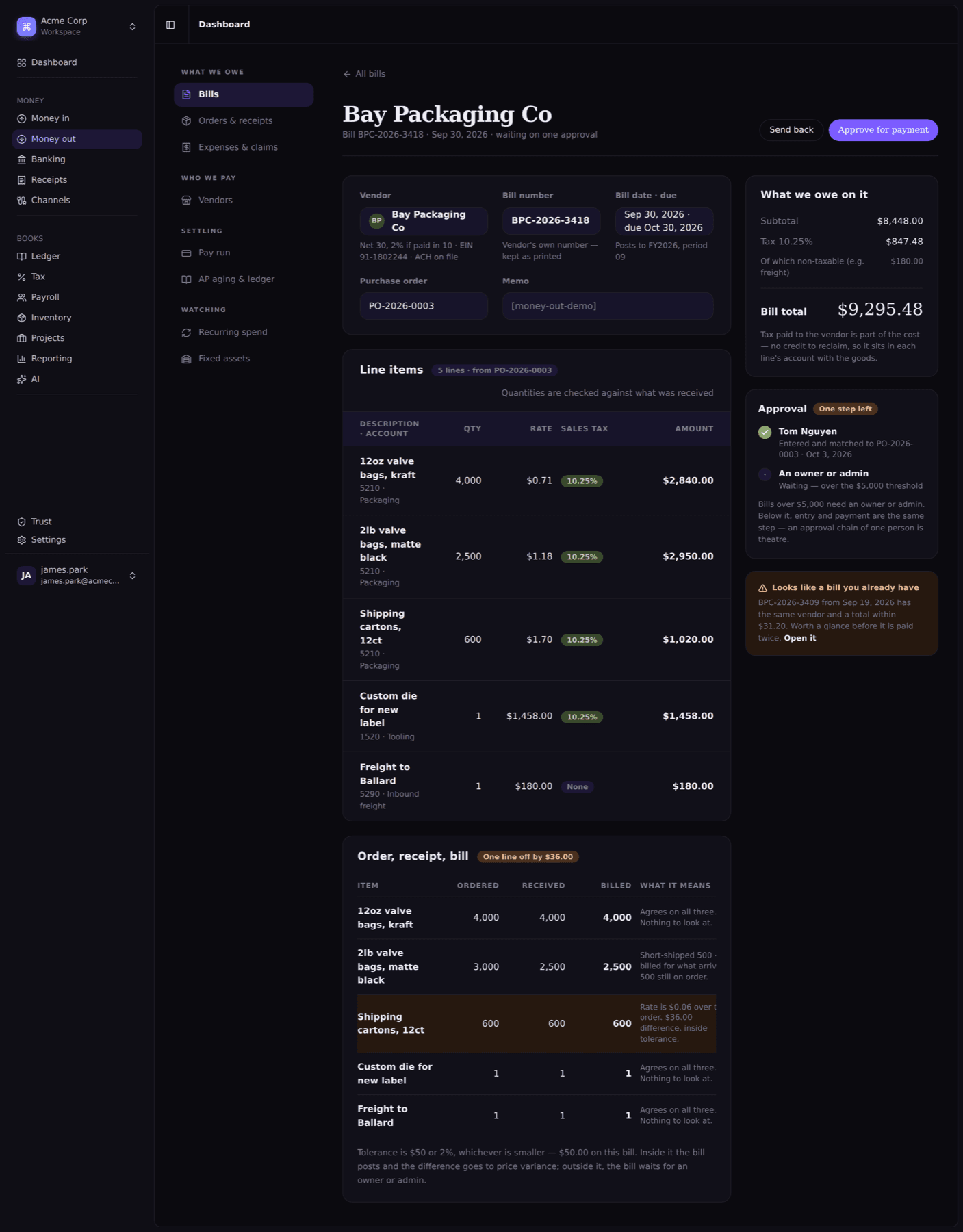
The first screen of Money Out. Bills are checked against the purchase order and what actually arrived, flagged if they look like a duplicate, and only reach the ledger once someone with authority has said yes.
Shipped
- PR open, Oct 3 to Oct 11
- 8 days
- Lines changed, tests included
- ~4,900
- Specs passing at merge
- 1,720
- Review findings fixed before merge
- 10 of 10
FinQ is our $9-a-month bookkeeping app for solo consultants. Until now most of the work went into Money In: invoices, payments and aging. Bills is the first screen of Money Out, and the one the rest of it depends on. The pay run, AP aging and the vendor ledger all assume the bills underneath them are real, matched and approved.
What shipped
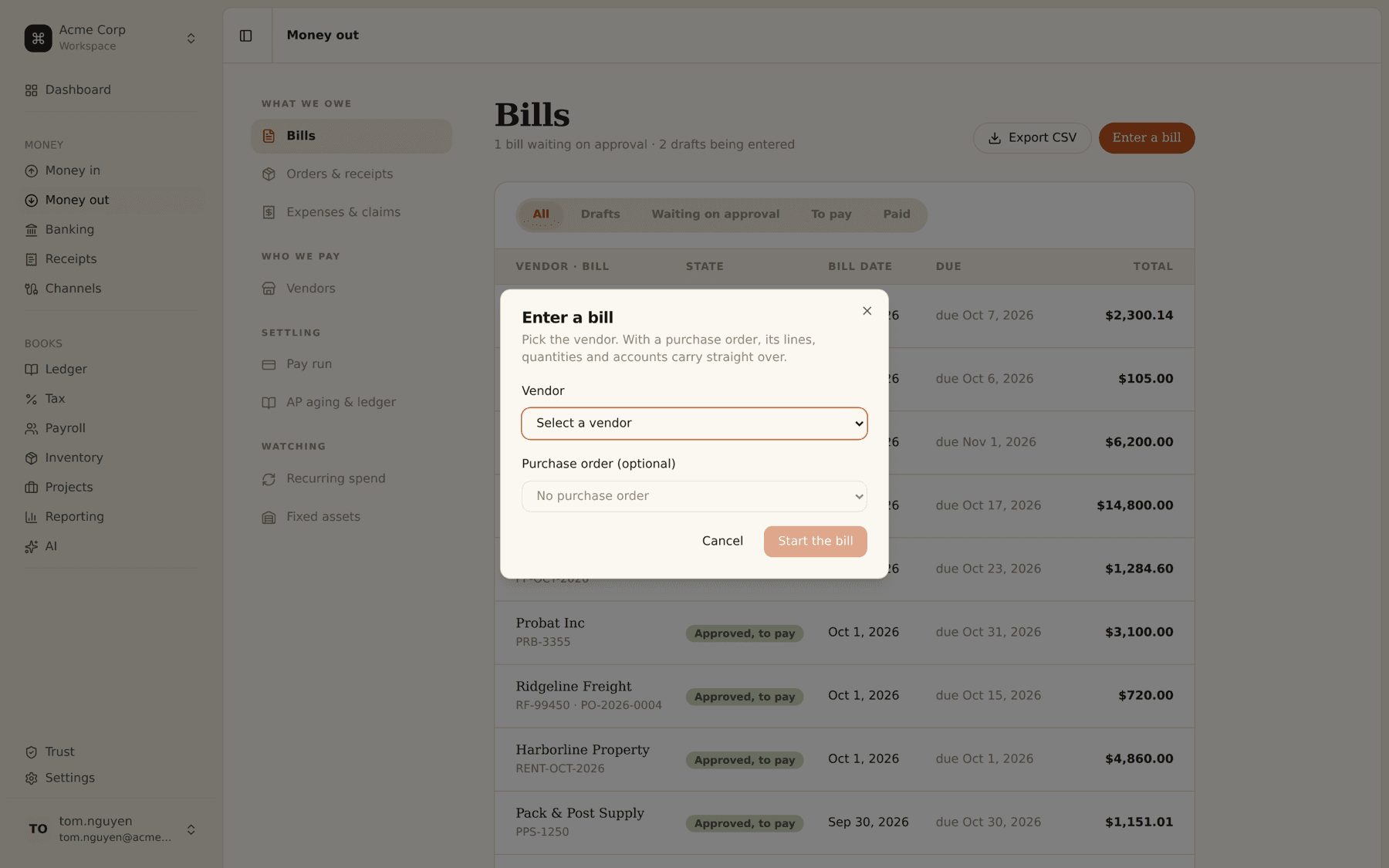
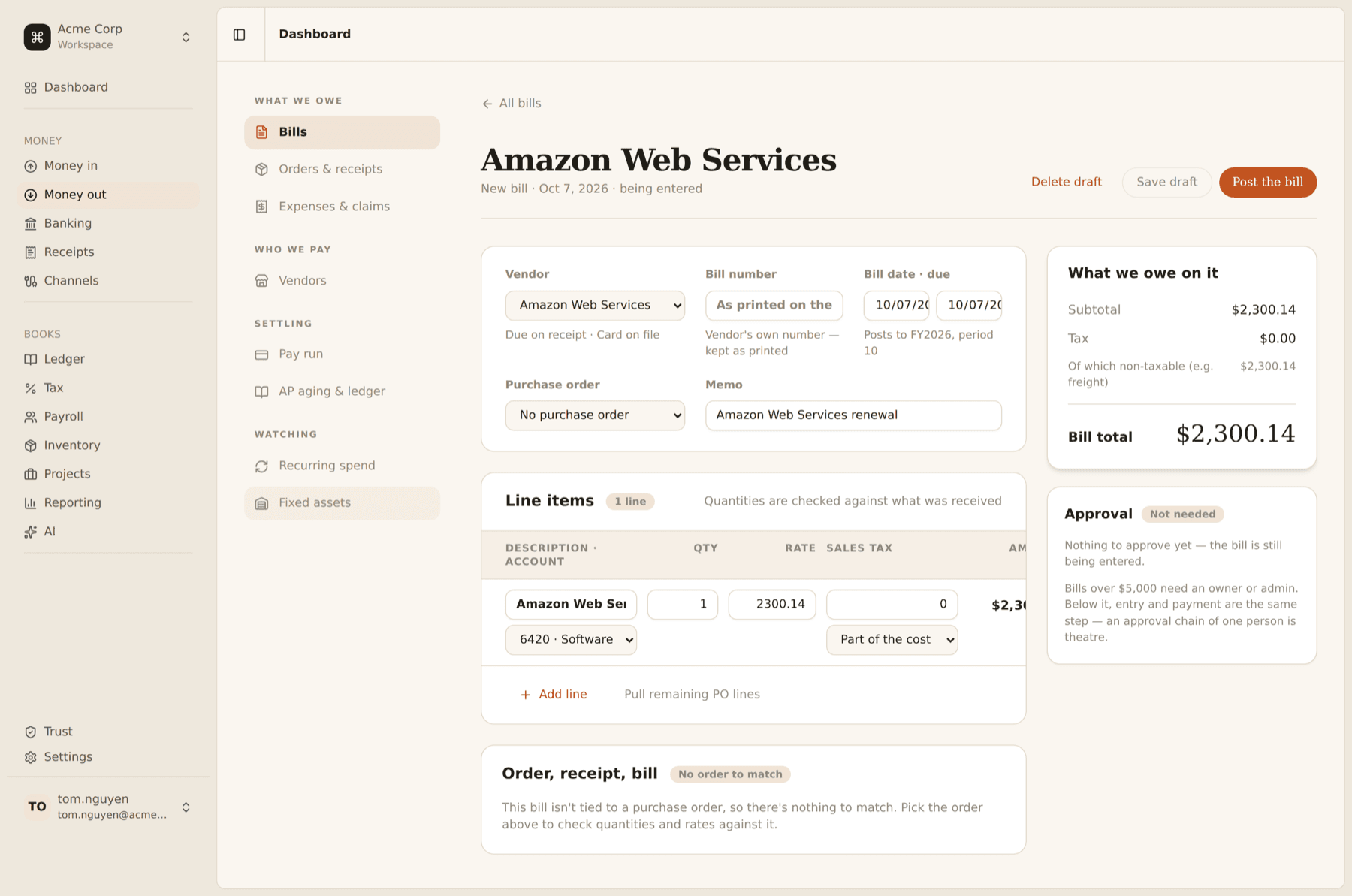
- Enter a bill by hand or from a purchase order. With an order, its lines, quantities and accounts carry over. You only type what’s on the vendor’s paper: their bill number, the date and the tax.
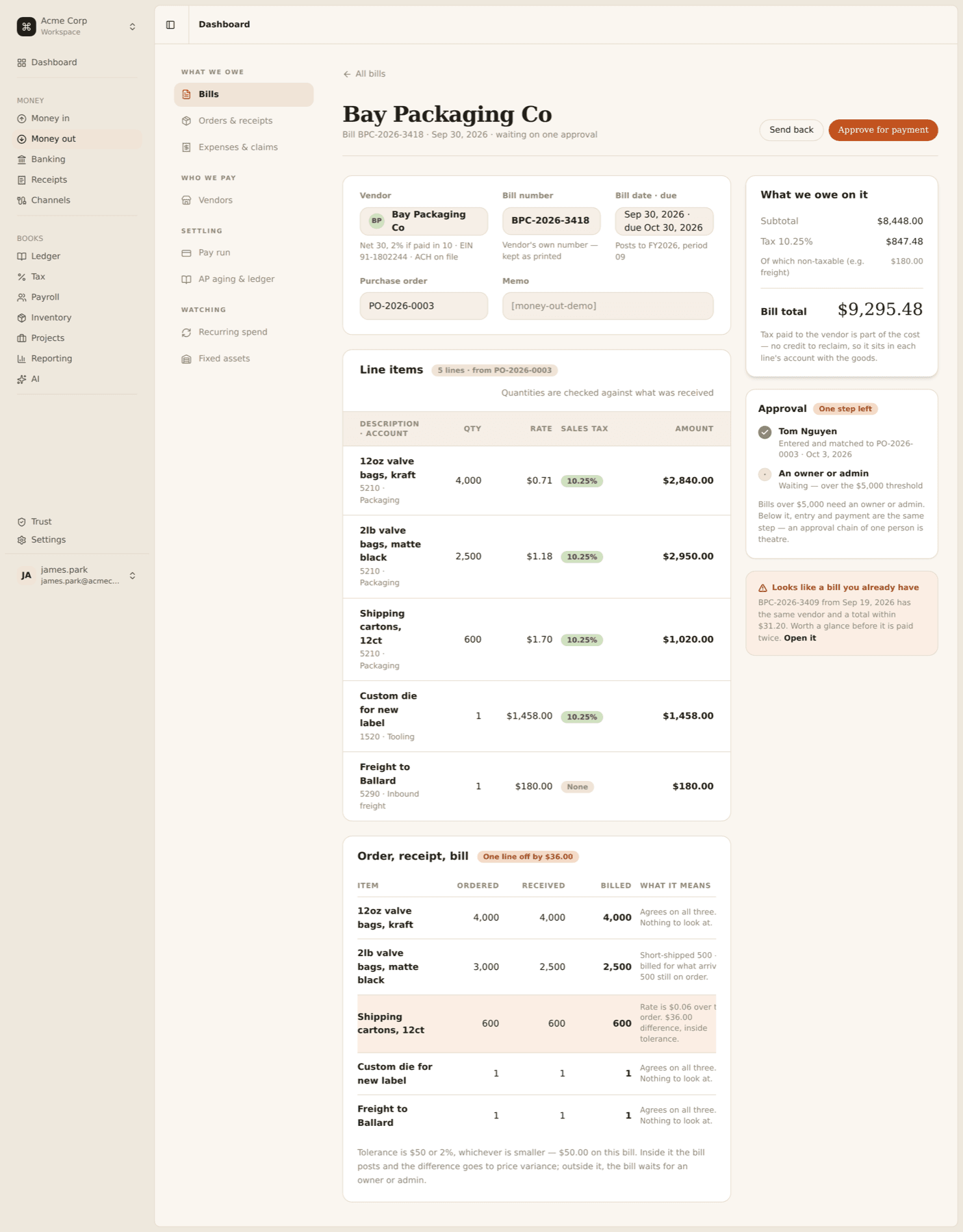
- Three-way match. Each line compares what was ordered, what was received and what is being billed, and says in plain English what any difference means.
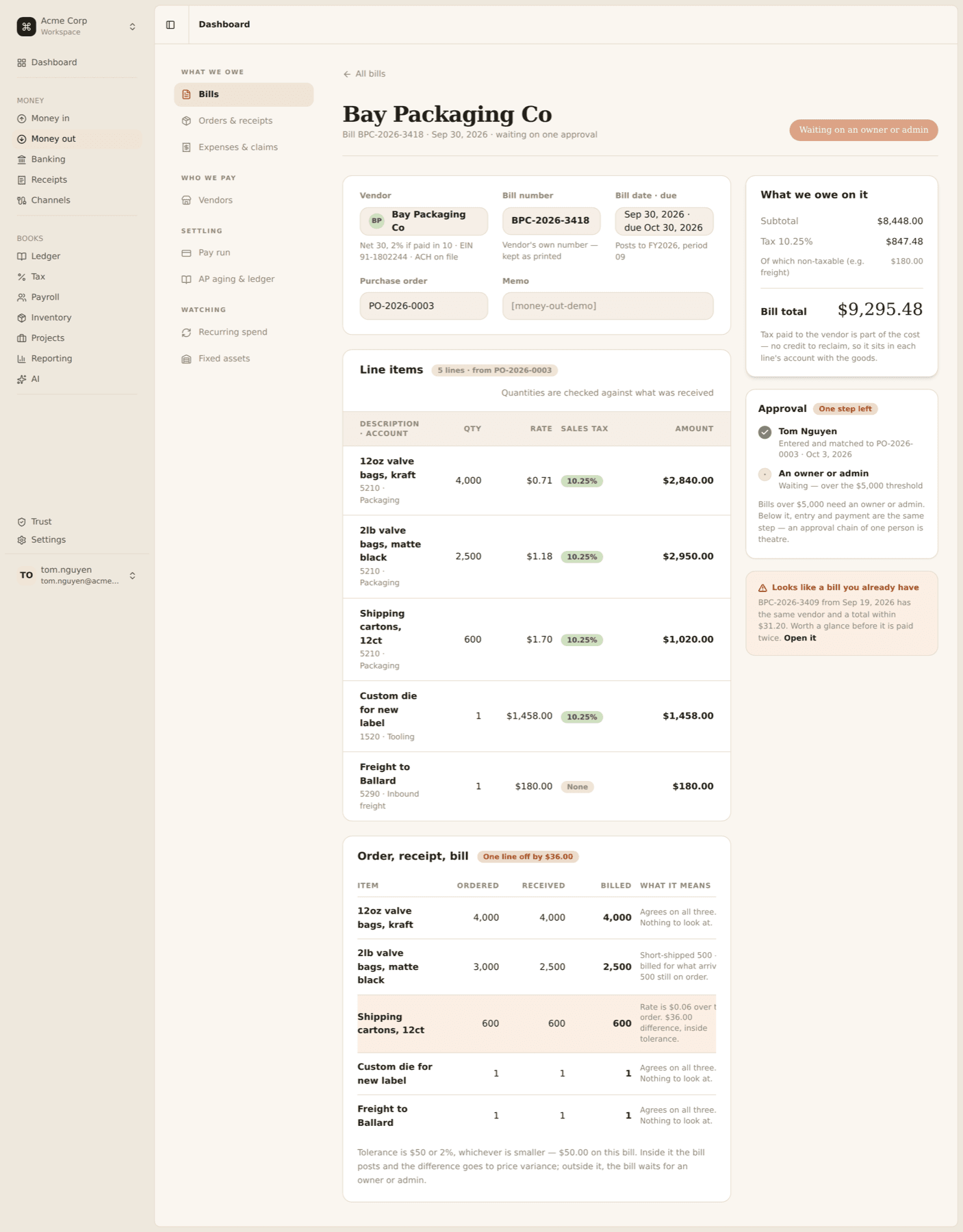
- Approval when it matters. A bill needs a human when it’s over the vendor’s threshold, or when the match is off by more than the tolerance.
- Duplicate guard. “This looks like a bill you already have” appears before you can pay it twice.
- Posting only after approval. A bill hits the ledger once it’s approved, or once it’s clear it doesn’t need approval. Then it shows up in the pay run.
The rules, as built
These are the product decisions behind the screen. Most came straight out of the copy in the design mock. One line, “Rate is $0.06 over the order. $36.00 difference, inside tolerance”, told us there is a tolerance, that it’s measured in money and not only percent, and that $36 should pass.
| Rule | How it works |
|---|---|
| Match tolerance | The smaller of $50 or 2% by default. Applied to the bill’s total over-billing, not line by line. |
| Drift inside tolerance | Posts, with the difference going to a purchase price variance account. |
| Drift outside tolerance | Waits for an owner or admin, even if approvals are off for that vendor. |
| Approval threshold | Bills over the vendor’s threshold ($5,000 in the demo) need an owner or admin. Below it, entering and paying is one step. |
| Self-approval | You can’t approve a bill you submitted if anyone else on the account could. A sole owner still can. |
| Account picker | Bill lines can only post to expense or non-cash asset accounts. Bank, card, receivables, input tax and liabilities are refused and hidden. |
| Sent back | Returns to draft with a required note. Nothing was posted, so nothing needs undoing. |
| Abandoned after send-back | Voided, not deleted, so the approval history stays on record. |
| Foreign currency | Can be drafted, but posting refuses it with a clear message until exchange rates are designed. |
The screen explains its own rules, because most solo consultants don’t know what a three-way match is and shouldn’t have to. Every match row has a “What it means” sentence, such as “Short-shipped 500, billed for what arrived, 500 still on order.” The approval panel says why it’s asking: “An approval chain of one person is theatre.”
Under the hood
The Bill, BillLine and BillApproval models already existed from earlier groundwork, so this was mostly behaviour, split into small services that each do one job:
Bills::ThreeWayMatchworks out ordered, received and billed per order line. It only counts bills submitted before this one, so two bills against the same order don’t double-count each other.Bills::DuplicateCheckfinds the same vendor with a total in a small window, or the same bill number written differently.Bills::ApprovalStatedecides whether a bill needs a human, and which one.Bills::Submit,Approve,SendBackandPosthandle the lifecycle.
FinQ’s ledger is append-only and double-entry, so posting is one balanced entry: debit each line’s expense or asset account, debit input tax credit where tax is recoverable, credit Accounts Payable. Nothing touches the books before approval.
Bills was the top of a stack of Money Out pull requests: vendors, orders and receipts, AP aging, recurring spend, fixed assets, then Bills. Each was reviewable on its own, at the cost of rebasing every low-level fix up through the stack.
What went wrong on the way
The spec was in the wrong place. The Money Out issues had their bodies shifted by one, so each issue’s spec sat in the next issue’s description. Work started against the wrong requirements before anyone noticed. Checking the issue against the mock is now the first step of every Money Out task.
Tests passed, the books were wrong. An early browser QA pass posted test bills against 1000 Business checking, a bank account. The entry balanced and every test passed, because nothing said a bill line couldn’t go to a bank account. That’s where the account-picker rule above came from. A balanced entry isn’t the same as a correct one.
Duplicates are fuzzier than a unique index. Vendors write INV-001 on one bill and inv 1 on the reminder, or BPC-2026-0042 and BPC20260042. The follow-up normalises bill numbers by dropping case and separators and trimming leading zeros from each run of digits, with the SQL and Ruby versions sharing one definition. Uniqueness in the database stays on the raw number. Normalisation only feeds the warning, so two genuinely different bills, like INV-001 and INV-1 from different years, can still be saved.
Anyone could approve their own bill. The first version let the submitter approve. That’s right for a one-person business and wrong with two admins, so the follow-up added the self-approval rule.
How it was checked
- Full suite at 1,720 passing specs when Bills merged.
- A code review pass before merge came back with 10 findings. All 10 were fixed before merging.
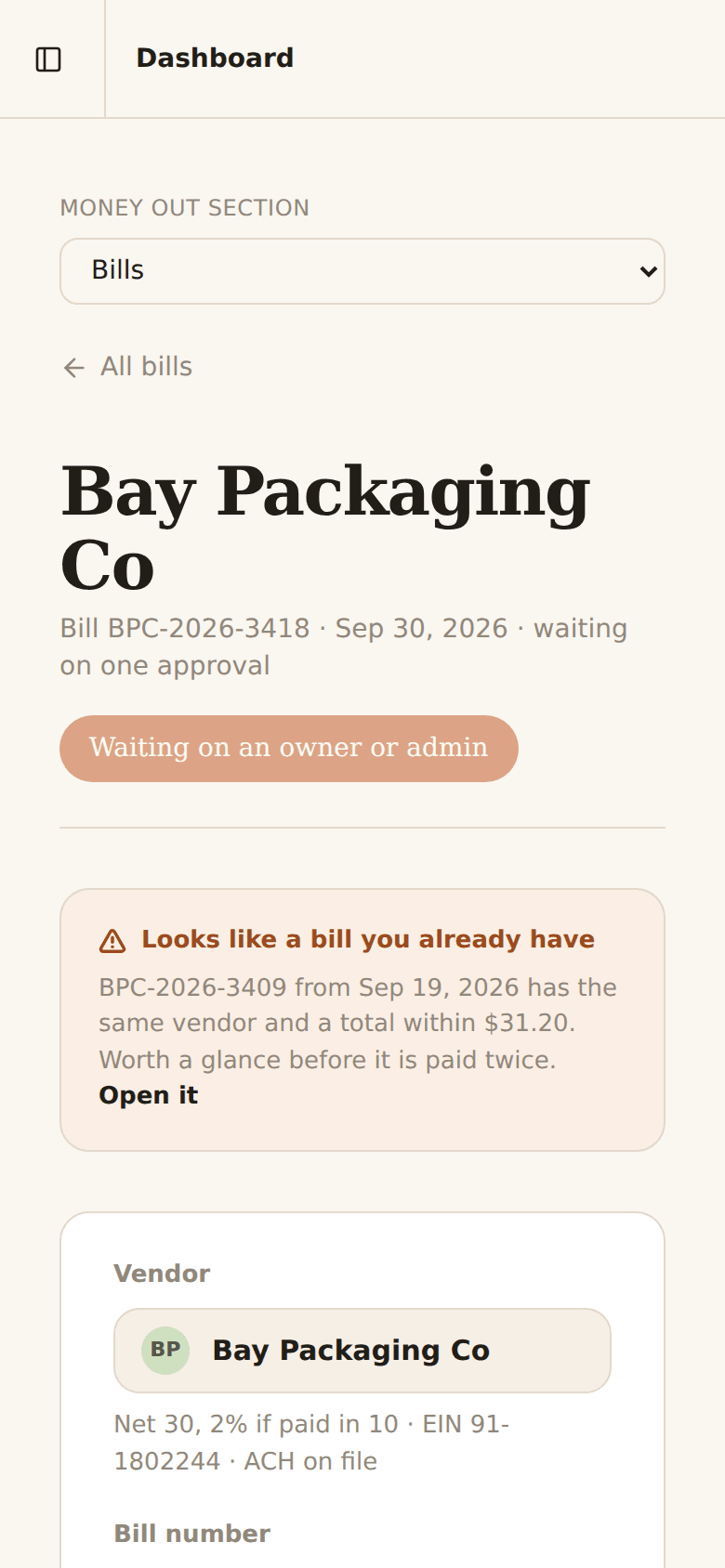
- Browser QA as different people (a member and an owner), in light and dark mode, and at phone width. Both the bank-account posting and the self-approval gap were found this way, not by reading code.
- Built with Claude Code as a pair. Yash wrote the issues, made the product calls, reviewed every change and did the browser QA.
Known gaps
- Phone layout. The wide line-item and match tables scroll sideways inside their cards. It works, but it isn’t pretty.
- Bills from captured documents. Creating a bill straight from a photo or PDF isn’t wired up yet.
- Voiding a posted bill. Not supported yet. On an append-only ledger it needs a proper reversing entry, not a delete.
- Foreign currency. Drafts only, until exchange rates are designed.
What we’re carrying forward
- Copy is a spec. When the mock’s text says something specific, the system has to make it true.
- Block what’s definitely wrong, warn on what’s probably wrong. Posting to a bank account is blocked. A likely duplicate is a warning you can override.
- QA as real people. Click through as each role, in both themes and at phone width, before calling it done.